Screen Speed
Laser • Real-time speed in video
Wireless measurement • Timing • Video analysis
Developed and proven in elite performance environments since 2018
Why Screen Speed?
Speed + Technique in One System
See how speed changes together with the athlete’s movement. Real-time speed and distance data are synchronised directly with the recorded video.
Flexible Timing & Performance Analysis
Analyse acceleration, maximum velocity and selected sections of a performance. Create timing intervals at any selected distance — without being limited to fixed timing positions.
Designed for Everyday Coaching
Portable, wireless and ready for use on the track, runway or training field. One coach can measure, film and analyse performance without an external computer, internet connection or additional operator.
How it works
From setup to performance analysis in three simple steps.
01.
Set up
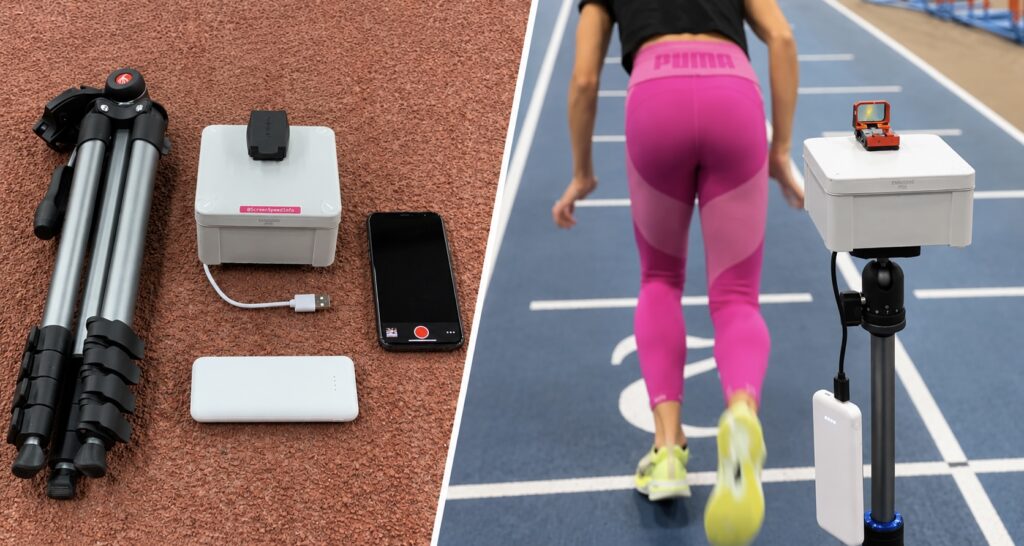
Mount the Screen Speed Laser Unit on a tripod, connect a USB power bank and position the laser for the movement you want to measure.
02.
Connect & Record
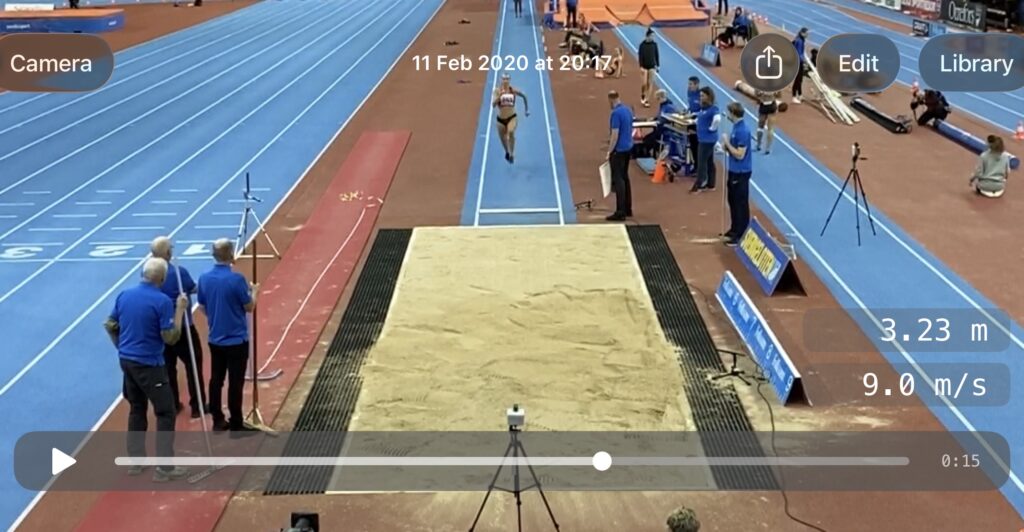
Connect your iPhone or iPad directly to the Screen Speed Wi-Fi network. Open the app and record the performance with speed and distance data displayed in real time.
03.
Review & Analyse
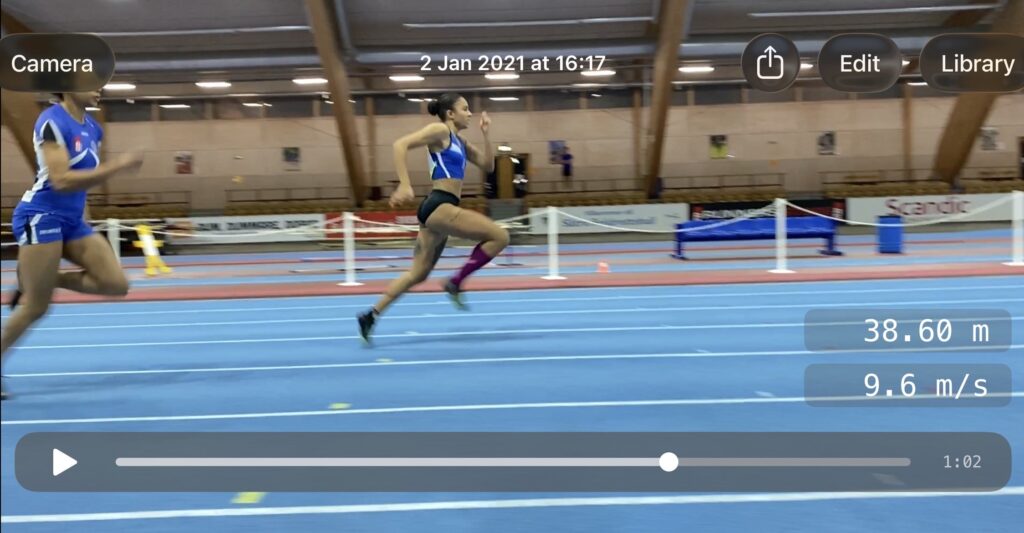
Review the performance immediately, analyse selected timing intervals and save or export video and performance data.
The Story Behind Screen Speed
From biomechanical analysis to everyday coaching.
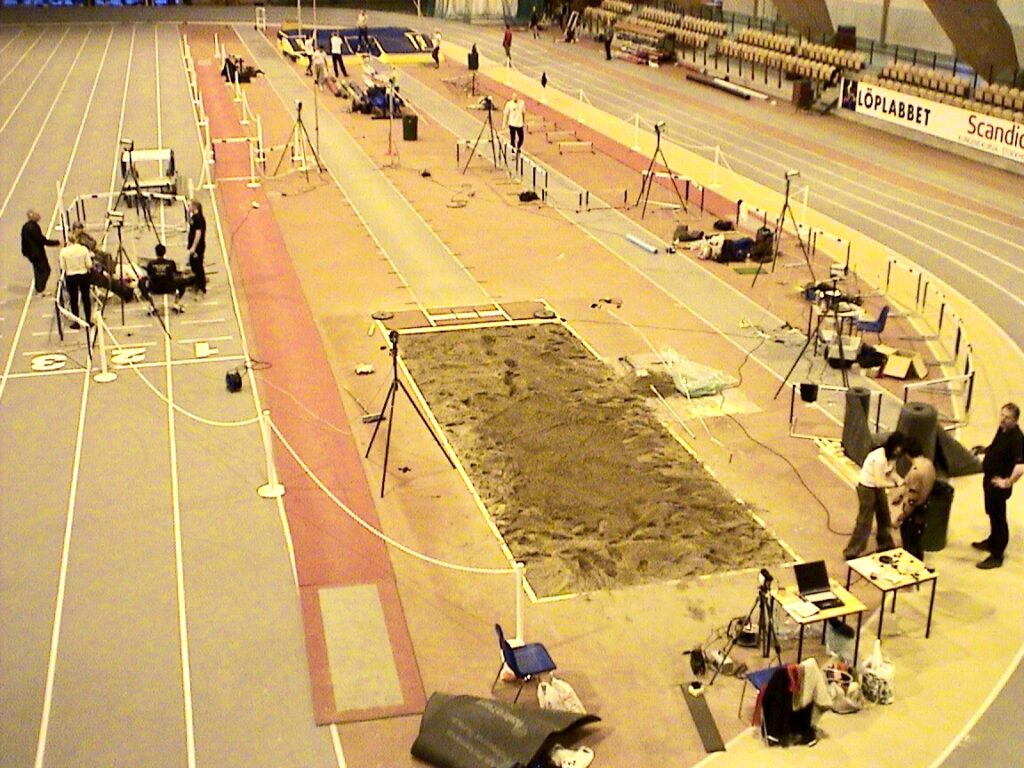
The idea behind Screen Speed has roots going back more than 20 years. While studying coaching at the Swedish School of Sport and Health Sciences (GIH) in Stockholm, co-founder Oscar Gidewall worked with advanced biomechanical analysis, combining 3D motion capture, laser measurement, force plates and video.
The technology provided powerful insights, but required expensive equipment, computers and specialist support. It raised a simple question: could speed measurement and video be combined in a tool practical enough for a coach to use alone?
At the time, the technology was not ready. More than a decade later, smartphones had transformed video analysis and the idea became technically possible. Oscar revisited the concept together with Erik Ehrlin — an engineer and software developer, a graduate of KTH Royal Institute of Technology, as well as an elite athlete.
Together, they combined engineering and software development with first-hand experience from elite coaching and competition. Development began in 2017–2018, initially with the horizontal jumps in mind, before quickly expanding to sprinting and other applications.
The first Screen Speed systems were in use in 2018, and the Screen Speed app was released on the Apple App Store in 2019. Since then, the system and app have been continuously developed and refined through practical use in performance environments.
More than 20 years after the original idea, the principle remains the same: make advanced performance analysis practical for the coach.
Proven in High-Performance Environments
Screen Speed has been developed and used in elite performance environments internationally since 2018. • Systems have been supplied to national sports federations, Olympic and high-performance organisations, sports schools and individual performance coaches. • Screen Speed is also used in coach education, bringing objective speed measurement and synchronised video analysis into both athlete development and the education of coaches. • Previous and current customers include the United States Olympic & Paralympic Committee, Swedish Athletics Federation, England Athletics and Chinese Athletics Association.
One system. One purchase. No subscription.
The Screen Speed app requires no subscription or recurring software fees.
The Screen Speed App
Measurement, video and analysis — in one app.
Connect directly to the Screen Speed Laser Unit and view speed and distance data in real time while recording video. Review performances, analyse selected timing intervals and organise, compare and export results directly from your iPhone or iPad.
Live Speed & Distance
View speed and distance data in real time while recording.
Synchronized Video
Speed and distance data are recorded directly together with the video.
Flexible Timing
Analyse any selected section after recording — without being limited to fixed timing positions. Switch between metres and yards, and display speed in m/s, km/h or mph — even after recording.
Organised Video Library
Add athlete names, results or attempt numbers as comments and use colour tags to quickly identify athletes and performances.
Export & Reports
Export videos with measurement data and generate performance reports with timing information.
Multiple Devices
Connect several iPhones or iPads simultaneously to the same Screen Speed unit and record from different viewing angles.
First released on the App Store in 2019, the Screen Speed app has been continuously developed and refined through years of practical use in training and performance environments.

Applications
From sprint acceleration and horizontal jumps to speed testing and performance analysis.
Sprint & Speed Development
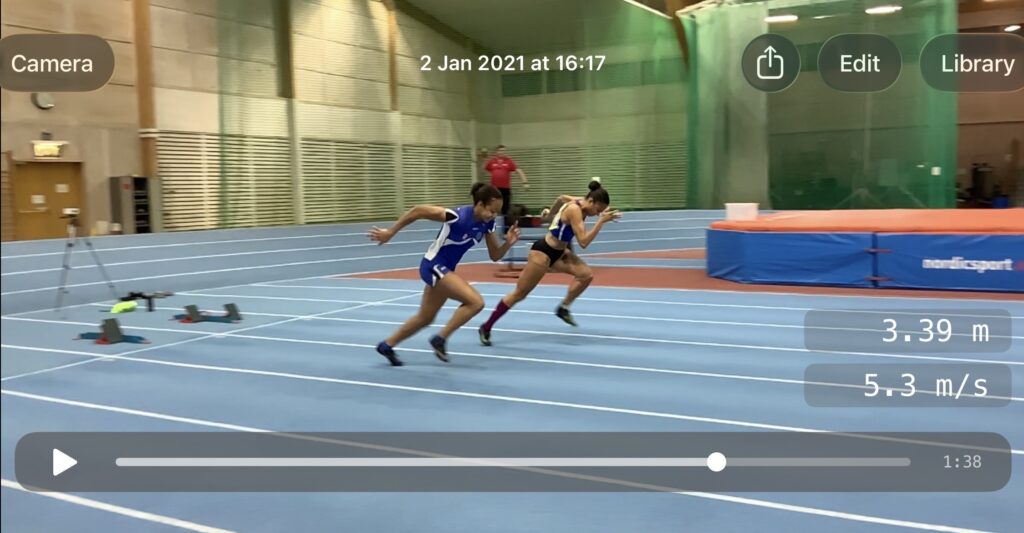
Measure acceleration, maximum velocity and selected sections of a sprint — including flying 10 m, 20 m and 30 m tests. Analyse how speed develops throughout the performance..
Horizontal Jumps
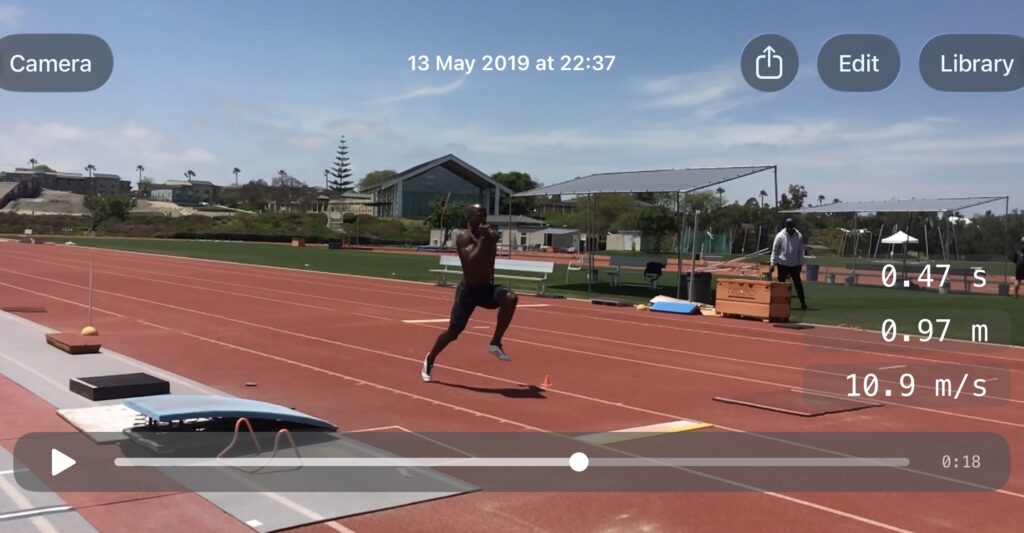
Analyse approach velocity and selected timing sections — including segments such as 11–6 m and 6–1 m before the take-off board — while seeing exactly what happens technically in the athlete’s movement.
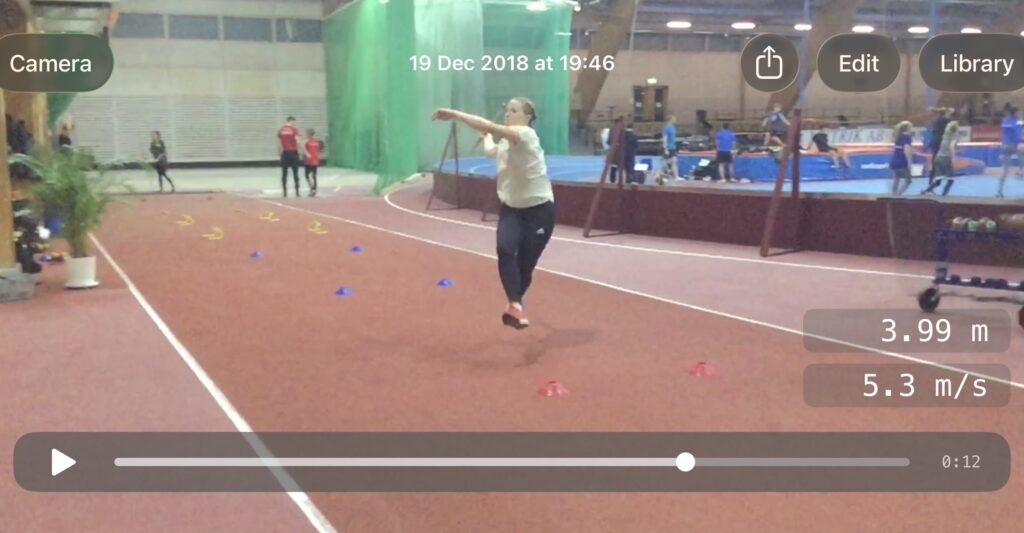
Performance Analysis & Coach Education
Combine objective speed data with video to analyse performance, provide immediate feedback and support athlete and coach development.
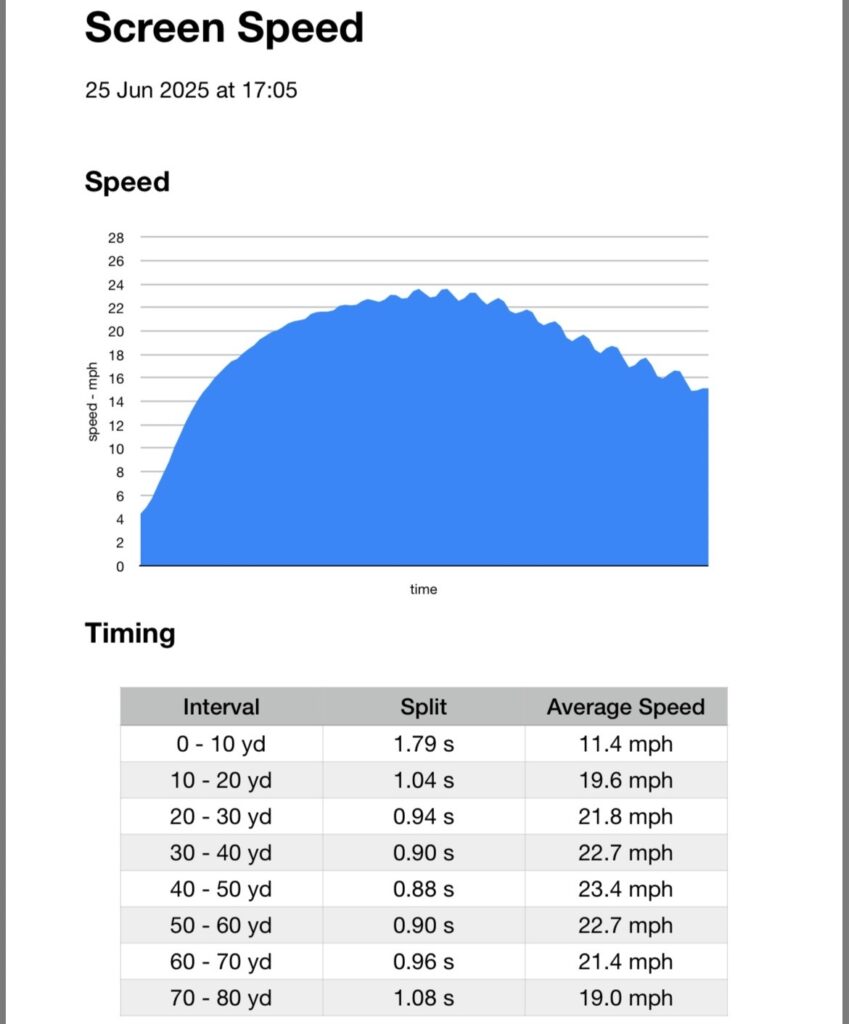
Team Sports & Speed Testing
Measure acceleration and sprint performance over distances relevant to the sport — including tests such as the 40-yard dash.
FAQ
Down load app
The Screen Speed app is available for iPhone and iPad on the App Store
For product information, pricing, demonstrations or orders, contact Screen Speed directly.